
What is KinemIQ?
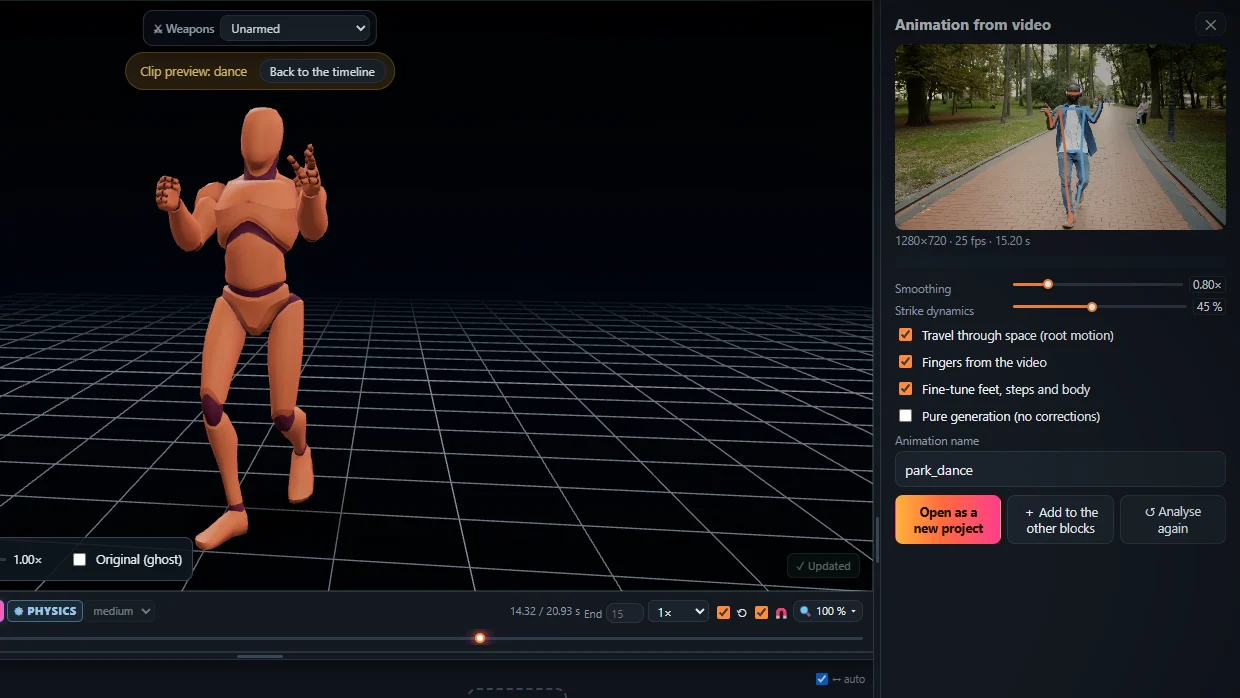
KinemIQ (kinemiq.app) is an online video to animation studio. AI motion capture turns a video of a person into a natural, physical 3D character animation – no suit, no markers – and a full editor in the browser lets you change it and export it as FBX, GLB or BVH for Unity, Unreal Engine or Blender.
Open KinemIQ Studio – free Use my own video
What it does
- Video to animation – AI mocap from any video of one person, or live from a phone camera.
- Text to animation (beta) – type a motion in English and an AI motion model makes the 3D animation on your own graphics card, free, in a desktop Chrome or Edge.
- Natural, physical motion – joints in a human range, feet that carry the weight, real landings.
- A full editor – timeline with smooth transitions, sliders for every body part, mouse posing with IK, keyframes, mirror, ragdoll physics and impacts, one-click Magic Heal fixes.
- Export – FBX, GLB / glTF, BVH; root motion or in place.
Facts
- Runs in any modern desktop browser – nothing to install. The video is analysed in your browser, not uploaded.
- Public beta: free to make and preview; exporting needs a free account.
- The built-in character and the open motion data it uses are credited on Sources & credits.
- Spelled K-i-n-e-m-I-Q – a product of its own, not a cinema site and not the physics term.
- Contact: info@kinemiq.app.
New here? The 5-minute guide walks through every feature.
Frequently asked questions
What is KinemIQ?
KinemIQ is an online video to animation studio that runs in the browser: AI motion capture (video AI mocap) turns a video of a person into a natural, physical 3D character animation (no suit, no markers), which is then changed in every way the editor has - sliders, posing, keyframes, ragdoll physics and impacts, one-click fixes - and exported as FBX, GLB or BVH for Unity, Unreal Engine or Blender. It can also make a 3D animation from a typed sentence (text to animation / text to motion, beta), computed free on the user's own graphics card.
Who is KinemIQ for?
Game developers, animators and 3D artists - and martial artists, dancers and athletes who want their own motion on a 3D character, without a mocap suit or a studio.
Is KinemIQ free?
It is in public beta: making, editing and previewing animations is free and needs no account; exporting needs a free account.
Can I use the animations commercially?
During the public beta, yes: animations you export may be used in personal and commercial projects - see the Terms.
Is my video uploaded?
No. The motion is extracted in your own browser; the video stays on your computer.
Can KinemIQ make an animation from text?
Yes, in beta: in the Studio, Animations -> From text, type a motion in English and an AI motion model makes the 3D animation on your own graphics card - free, in a desktop Chrome or Edge. Then edit and export it like any clip.
More with KinemIQ: Video to 3D animation · Video to motion · Free AI mocap from video · Video to FBX · Video to BVH · Martial arts animation · Ragdoll animation · Mocap from a phone video · FBX animation for Unity · Mocap for Unreal Engine · Mocap to Blender · Text to animation · 5-minute guide · All guides and answers