
FBX animation for Unity – from a video to a Humanoid clip
Need an FBX animation for Unity that nobody else has? Film the move, let KinemIQ turn the video into a 3D animation with AI motion capture, export FBX and play it on your own Humanoid character. Free to try, in the browser.
Make an FBX for Unity – free Use my own video
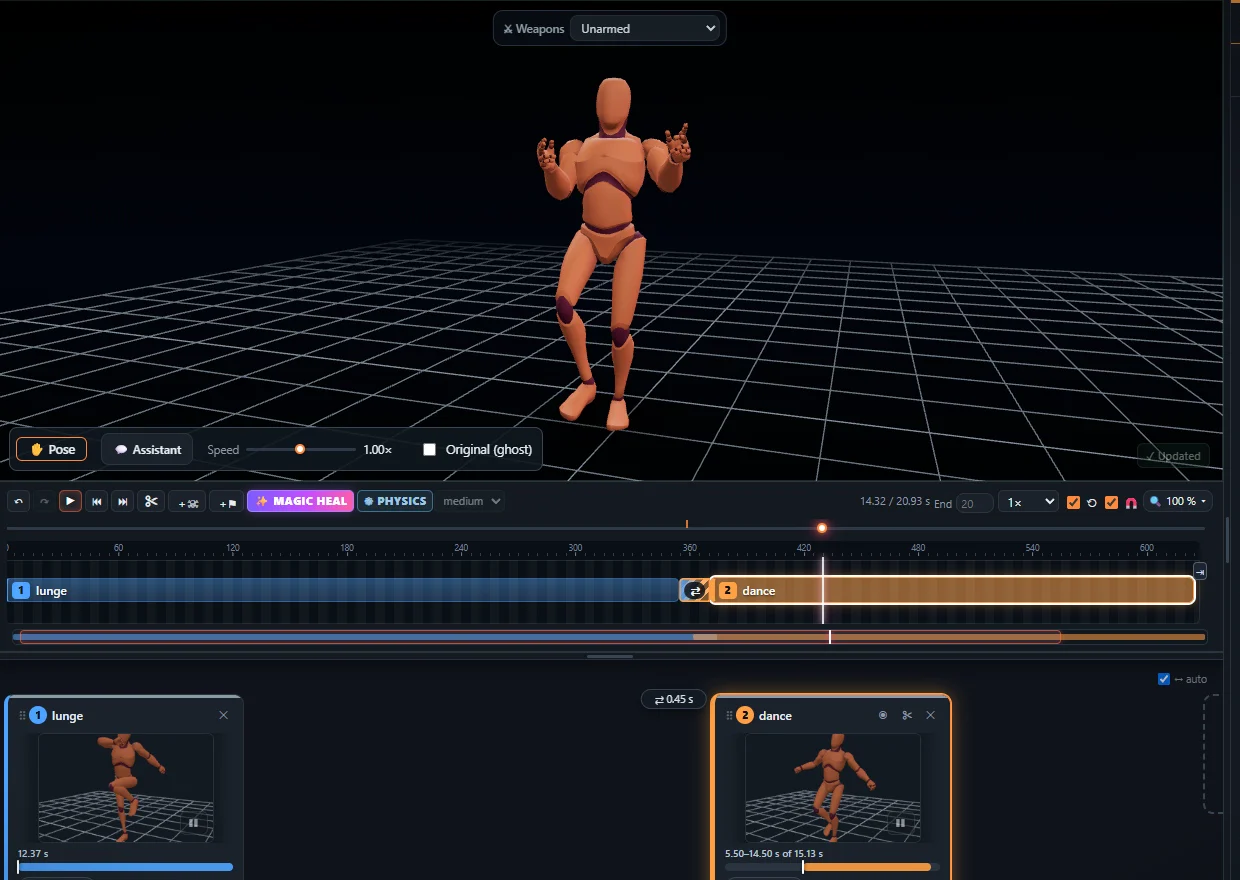
1. Make the animation
- Open the Studio, drop your video on Animation from video and press Analyse video.
- Add it to the timeline. Trim it, change speed or poses, press Magic Heal for one-click fixes.
2. Export the FBX
- Press Export and choose FBX.
- Pick root motion if the animation should move the character, or in place if your character controller moves it.
- Choose 24, 30 or 60 frames per second and download the file.
3. Import it into Unity
- Drag the FBX into the Project window.
- Select it, open Rig, set Animation Type to Humanoid, keep Create From This Model and press Apply.
- In the Animation tab tick Loop Time for cycles (walks, idles), and set Root Transform options for in place clips.
- Drag the clip into your character’s Animator Controller. Your character must be Humanoid too – Unity retargets the motion to it.
- Using root motion? Tick Apply Root Motion on the character’s Animator.
The same file works in Unreal Engine, Godot and Blender – see mocap for Unreal Engine and mocap to Blender.
Frequently asked questions
How do I import an FBX animation into Unity?
Drag the FBX into the Project window, select it, set Rig > Animation Type to Humanoid and press Apply. The clip inside then plays on any humanoid character through an Animator Controller.
Will it play on my own character?
Yes, if your character is set to Humanoid too - Unity retargets Humanoid clips between characters automatically.
Root motion or in place for Unity?
Export with root motion when the animation itself should move the character and tick Apply Root Motion on its Animator; export in place when your character controller moves it.
Can the clip loop?
Yes - in the clip import settings tick Loop Time, and Loop Pose for a seamless cycle.
More with KinemIQ: Video to 3D animation · Video to motion · Free AI mocap from video · Video to FBX · Video to BVH · Martial arts animation · Ragdoll animation · Mocap from a phone video · Mocap for Unreal Engine · Mocap to Blender · Text to animation · 5-minute guide · All guides and answers