
Video to animation
Turn a video or a sentence into a 3D character animation, right in your browser.
✍️ Text to animation New - open KinemIQ on a computer to use it.
Free account · no install · no card · free animations
KinemIQ in short
- What it is
- An online video to 3D animation studio: AI motion capture plus a full animation editor.
- You need
- A video of one person - a phone clip is enough - or a live phone camera. No suit, no markers.
- You get
- FBX, GLB / glTF or BVH, with root motion or in place.
- Text to animation
- New (beta): type a motion in English and get a 3D animation - free, ready in seconds (/text-to-animation/).
- Free library
- 460 ready game animations - walks, runs, idles, punches, kicks, sword moves - CC0 and CC BY, free for commercial games (/free-game-animations/). Every one can be edited in the Studio before export - speed, direction, pose, physics, ragdoll.
- Works with
- Unity (Humanoid or Generic), Unreal Engine, Godot, Blender, Maya, MotionBuilder.
- Runs on
- Any modern browser on a computer or a phone. Nothing to install.
- Privacy
- The video is analysed in your own browser - it is not uploaded.
- Price
- Free with a free account, no card: free animations, free exports every month (commercial use included) and every Studio tool. Optional paid plans add more.
Quick answers
- Where can I get free animations for Unity, Unreal or Blender?
- 460 free game animations - walks, runs, idles, punches, kicks, sword moves, dodges - CC0 and CC BY, as FBX, GLB or BVH, free for commercial games. More
- Where can I download free game animations for Unity?
- In KinemIQ: free animations - walks, runs, idles, jumps, punches, kicks, sword moves, dodges - to preview on a 3D character and download as FBX for Unity (Humanoid), with a free account, no card, commercial use included. More
- Can I make a 3D animation from text?
- Yes (beta). In the Studio choose Animations -> From text, type a motion in English and click Create animation - it is ready in seconds, free; then edit it and export FBX, GLB or BVH. More
- How do I turn a video into a 3D animation?
- Open the Studio, drop a video of one person and click Analyse; the motion goes onto a 3D character in your browser and exports as FBX, GLB or BVH. More
- Is a phone video good enough?
- Yes. Film one person whole in the picture (head and feet), 5 - 10 seconds, with light; a phone is enough. More
- Do I need a mocap suit or markers?
- No. The AI finds the body in an ordinary video - no suit, no markers, no special camera. More
- How do I get the animation into Unity?
- Export FBX, set the rig to Humanoid in Unity and drag the clip into your Animator Controller - it plays on any Humanoid character. More
- How do I use it in Unreal Engine or Blender?
- Export FBX (Unreal) or FBX / BVH / GLB (Blender) and retarget it to your skeleton. More
- Is it free, and can I use the animations commercially?
- Yes. Free animations, a free account (no card) and free exports every month - FBX, GLB or BVH, commercial use included - and every Studio tool free to use. Optional paid plans only add more exports. More
Real videos in. Game-ready animation out.
460+ free 3D animations. Made by the community.
Walks, runs, fights, dances and stunts - preview in 3D, open in the Studio, export FBX, GLB or BVH. Share your own if you like.
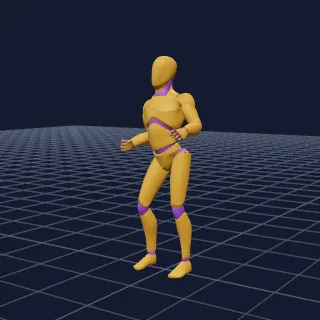
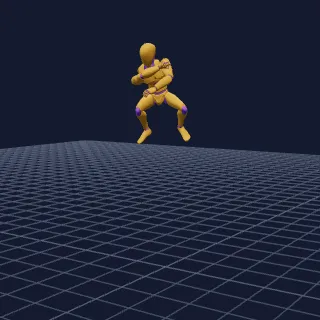
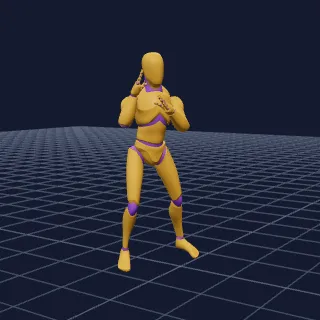
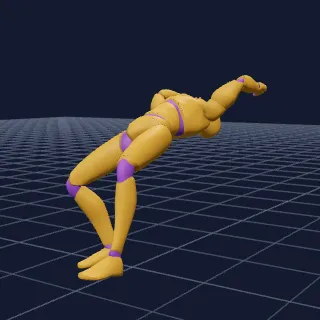
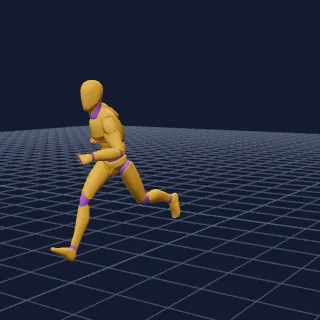
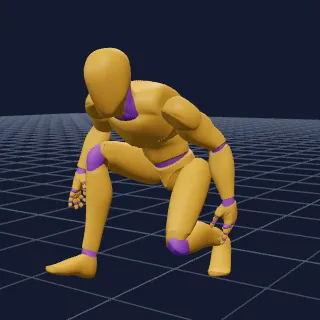
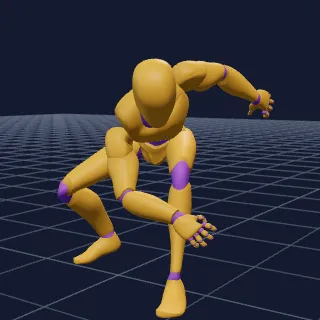
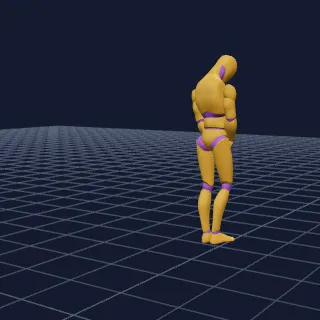
An AI animation tool for real animators. Nothing to install.
Change it every way
Speed, power, stance, mirror, keyframes, markers - live.
Video to animation
AI mocap from any video, no suit - natural, physical, human joints.
Physics ragdoll
Hits, falls and knock-outs with real weight.
Pose with the mouse
Drag hands and feet, turn any joint, set keys.
Magic Heal
One click fixes overlaps, twisted joints and sliding feet.
Export anywhere
FBX, GLB / glTF, BVH - root motion or in place.
From idea to file in minutes
Drop in a video
One person, any phone clip. Or type the motion as text.
Edit it live
Sliders, posing, impacts.
Export
For your engine.
GLBglTFBVHFBX

Free to start. Pro when you need more.
Free animations, a free account and free exports every month - and every Studio tool is free to use. Plans add more exports when you need them.
Free
- Free animations, every Studio tool free to use
- 5 free exports a month - from video or text, or edited in the Studio
- Animations up to 15 s
- FBX · GLB · glTF · BVH · try your own character and the Bridges
- Commercial use included
Pro
- Free animations, every Studio tool free to use
- 60 exports a month - from video or text, or edited in the Studio
- Animations up to 2 min
- ✦ 1000+ Premium animations · your own character · Bridges (Unity, Blender, Roblox, Godot)
- Commercial use included
Studio
- Free animations, every Studio tool free to use
- 300 exports a month - from video or text, or edited in the Studio
- Animations up to 5 min
- ✦ 1000+ Premium animations · your own character · Bridges (Unity, Blender, Roblox, Godot)
- Commercial use included
Need animations only now and then? Export packs without a subscription in your account - they never expire. 14-day money-back guarantee. Prices in EUR incl. VAT where it applies; payments by Paddle.com, our reseller. Cancel any time.
Frequently asked questions
What is KinemIQ?
KinemIQ is an online video to animation studio that runs in the browser: AI motion capture (video AI mocap) turns a video of a person into a natural, physical 3D character animation (no suit, no markers), which is then changed in every way the editor has - sliders, posing, keyframes, ragdoll physics and impacts, one-click fixes - and exported as FBX, GLB or BVH for Unity, Unreal Engine or Blender. It can also make a 3D animation from a typed sentence (text to animation / text to motion, beta), free and ready in seconds.
Is KinemIQ the same as Kinema, KinetiQ or kinematics?
No. KinemIQ (kinemiq.app) is its own brand: an online video to animation and AI mocap tool for 3D character animation. It is not a cinema or film portal, not a physiotherapy or movement-diagnostics centre and not the physics term kinematics.
Is KinemIQ an AI animation tool?
Yes - an AI-assisted 3D animation tool. Give it a video and AI motion capture turns the person in it into a 3D animation; then the editor lets you change it every way - speed, poses, physics impacts and ragdoll - and fixes what looks wrong (Magic Heal). You stay the director: every motion can be edited by hand.
Can KinemIQ do video to motion (AI mocap from video)?
Yes. KinemIQ is a video AI mocap: drop in a video of a person and it extracts the 3D motion - body, hands and feet - with no suit or markers, cleans it up and exports it as FBX, BVH or GLB.
Can I convert a video to FBX or BVH?
Yes. KinemIQ turns a video into a 3D animation and exports it as FBX (for Unity and Unreal Engine), BVH (for Blender, MotionBuilder and retargeting) or GLB - free to try in the browser.
Can KinemIQ make an animation from text (text to motion)?
Yes, in beta. In the Studio choose Animations -> From text, type a motion in English - for example "A person throws a combo of punches" - and an AI motion model makes the 3D animation in seconds, free. Then edit it and export it as FBX, GLB or BVH like any other clip.
Can I make 3D animations online?
Yes. KinemIQ is an online 3D animation maker that runs in your browser - no download, no install. Turn a video into motion, edit it on the timeline and export a file for your game, film or app.
Is KinemIQ finished?
Yes - KinemIQ is live: everything you see works, and we improve it every week. If something looks wrong, write to support@kinemiq.app - it helps a lot.
Do I need to install anything?
No. KinemIQ runs in your browser (Chrome, Edge, Safari or another modern browser, on a computer or a phone). Your animation is computed on your own machine, so it is fast and private.
Is KinemIQ free?
Yes. Free animations, a free account (no card) and free exports every month - FBX, GLB or BVH, commercial use included - and every Studio tool free to use. Optional paid plans only add more exports.
What do the paid plans add?
More exports each month of animations from your own video or text or edited in the Studio, longer animations, your own character, the Bridges (Unity, Blender, Roblox, Godot) and the ✦ Premium library. Free animations stay available and every Studio tool stays free to use.
Can I use the animations in my game or film?
Yes - with every plan, the free one too: animations you export may be used in personal and commercial projects (games, films, apps, ads). Library clips are CC0 or CC BY; the credit travels inside the file. See the Terms.
Which engines are supported?
Anything that reads GLB / glTF, BVH or FBX - Unity, Unreal Engine, Godot, Blender, Maya, 3ds Max and more.