
Mocap for Unreal Engine – from a video to a UE5 animation
Mocap for Unreal Engine without a suit: film the move, let KinemIQ turn the video into a 3D animation with AI motion capture, export FBX and retarget it to the UE5 mannequin or your own character. Free to try, in the browser.
Make mocap for Unreal – free Use my own video
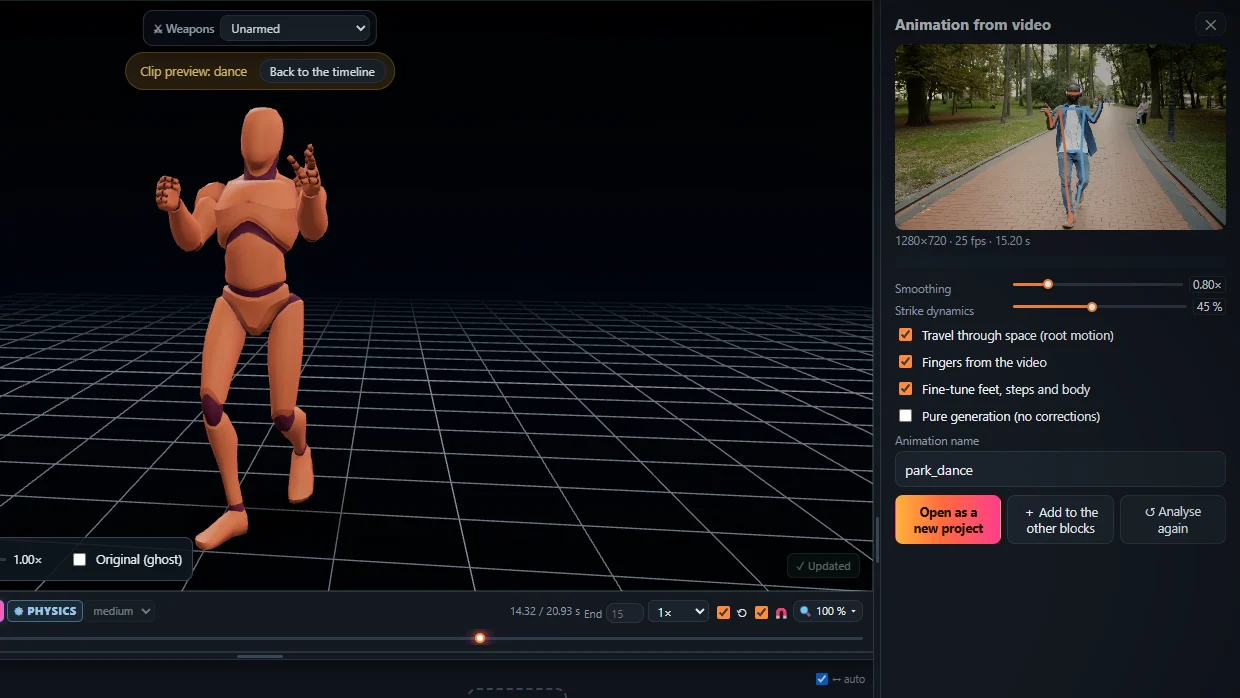
1. Make the animation
- Open the Studio, drop your video on Animation from video and press Analyse video.
- Add it to the timeline and change what you like – speed, poses, impacts, Magic Heal.
2. Export the FBX
- Press Export, choose FBX.
- Pick root motion (the travel on the root bone) or in place, and 24, 30 or 60 frames per second.
3. Import it into Unreal Engine
- Drag the FBX into the Content Browser and import it as a Skeletal Mesh with Import Animations on. You get a skeleton, a mesh and an Animation Sequence.
- To play it on the UE5 mannequin or your own character, retarget it: in recent UE5 versions right-click the animation, choose Retarget Animations and pick the target character. In older versions make an IK Rig for each skeleton and an IK Retargeter between them.
- Exported with root motion? Open the animation sequence and tick Enable Root Motion.
Working in Unity or Blender instead? See FBX animation for Unity and mocap to Blender.
Frequently asked questions
How do I import the animation into Unreal Engine?
Drag the FBX into the Content Browser and import it as a skeletal mesh with its animation. You get a skeleton, a mesh and an animation sequence.
How do I put it on the UE5 mannequin or my own character?
Retarget it. In recent UE5 versions right-click the animation, choose Retarget Animations and pick your character; in older versions make an IK Rig for each skeleton and an IK Retargeter between them.
Does root motion work in Unreal?
Yes. Export with root motion on the root bone, then tick Enable Root Motion in the animation sequence.
Which export format is best for Unreal?
FBX. It carries the rigged character and the animation in one file that Unreal imports directly.
More with KinemIQ: Video to 3D animation · Video to motion · Free AI mocap from video · Video to FBX · Video to BVH · Martial arts animation · Ragdoll animation · Mocap from a phone video · FBX animation for Unity · Mocap to Blender · Text to animation · 5-minute guide · All guides and answers