
Free Mixamo alternative – game animations, video and text to animation
KinemIQ is a free Mixamo alternative that runs in the browser: 460 free game animations to download as FBX, GLB or BVH, plus the moves you cannot find anywhere – made from your own video with AI motion capture or from a typed sentence. Edit any animation, put it on your own character and use it in commercial games. No install.
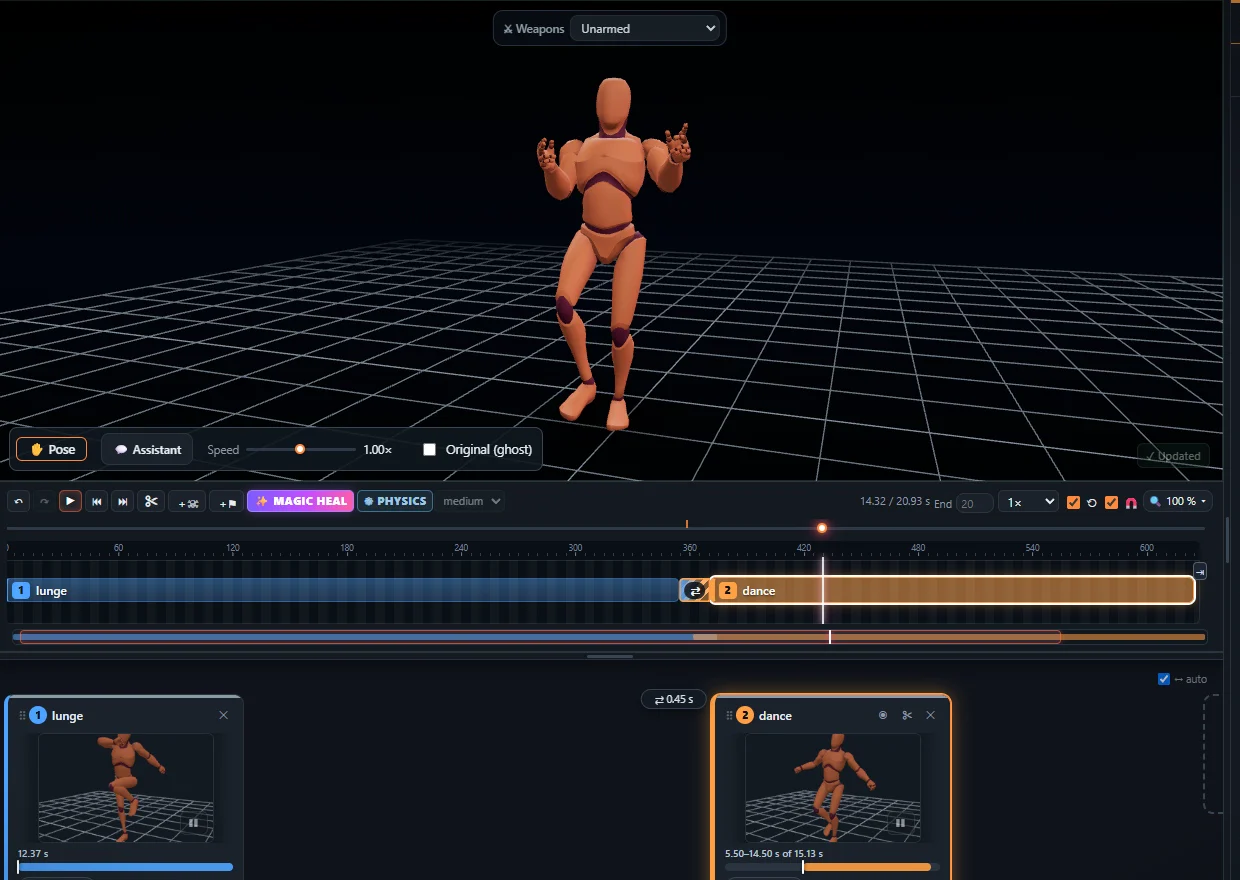
KinemIQ and Mixamo side by side
| KinemIQ | Mixamo | |
|---|---|---|
| Ready animation library | 460 clips – walks, runs, idles, punches, kicks, sword moves, dodges | A large library of ready animations |
| A new animation from your own video | Yes – AI motion capture from a phone video, no suit | No |
| A new animation from text | Yes (beta) – free, on your own graphics card | No |
| Editing | Full editor: timeline, blending, posing with the mouse, keyframes, ragdoll physics, Magic Heal fixes | A few sliders per animation |
| Formats | FBX, GLB / glTF, BVH – root motion or in place | FBX, DAE |
| Your own character | Upload a rigged FBX, GLB, glTF or VRM character; export on its own skeleton | Upload a character; it can auto-rig an unrigged mesh |
| Account | The first export needs none, then a free account | An Adobe account |
Mixamo is still the easy choice for auto-rigging a mesh that has no skeleton. KinemIQ is for when the library does not have your move, or when you want to change an animation instead of taking it as it is.
What you get for free
- 460 game animations – 175 CC0 (no credit needed) and 285 real motion capture clips under CC BY, free for commercial games with a credit that every exported file already carries. See free game animations.
- Video to animation – film a move with your phone, drop the video in and get a 3D animation on the same skeleton as the library. See video to 3D animation.
- Text to animation (beta) – type a motion in English and get a 3D animation. See text to animation.
- One skeleton for everything – library clips, video clips and text clips blend into one another on the timeline.
How to get an animation into your engine
- Open the Studio, pick a clip in Animations – or make one from a video or text.
- Change what you like: speed, direction, pose, blending into the next clip.
- Click Export and choose FBX, GLB / glTF or BVH.
Engine steps: Unity (FBX, Humanoid), Unreal Engine, Blender, Godot.
Frequently asked questions
Is there a free alternative to Mixamo?
Yes. KinemIQ is free in the browser: 460 ready game animations to download as FBX, GLB or BVH, and new animations made from your own video with AI motion capture or from a typed sentence.
What can KinemIQ do that Mixamo cannot?
Make a new animation from your own video or from text, edit it on a timeline (blending, posing, keyframes, ragdoll physics) and export GLB and BVH besides FBX.
Can I use my own character?
Yes. Upload a rigged FBX, GLB, glTF or VRM character in the browser; the animation is exported on its own skeleton. For a mesh without a skeleton, rig it first (for example with an auto-rigger).
Can I use the animations in a commercial game?
Yes. The library clips are CC0 or CC BY (the credit travels inside the file), and animations you make and export during the beta may be used commercially.
More with KinemIQ: Video to 3D animation · Video to motion · Free AI mocap from video · Video to FBX · Video to BVH · Martial arts animation · Ragdoll animation · Mocap from a phone video · FBX animation for Unity · Mocap for Unreal Engine · Mocap to Blender · Text to animation · 5-minute guide · All guides and answers