
Video to BVH – motion capture from any video as BVH
KinemIQ turns video to BVH online: AI motion capture extracts a clean humanoid BVH for Blender, MotionBuilder, Maya or Cascadeur. No suit, nothing to install, free to try.
Get a BVH from a video – free Use my own video
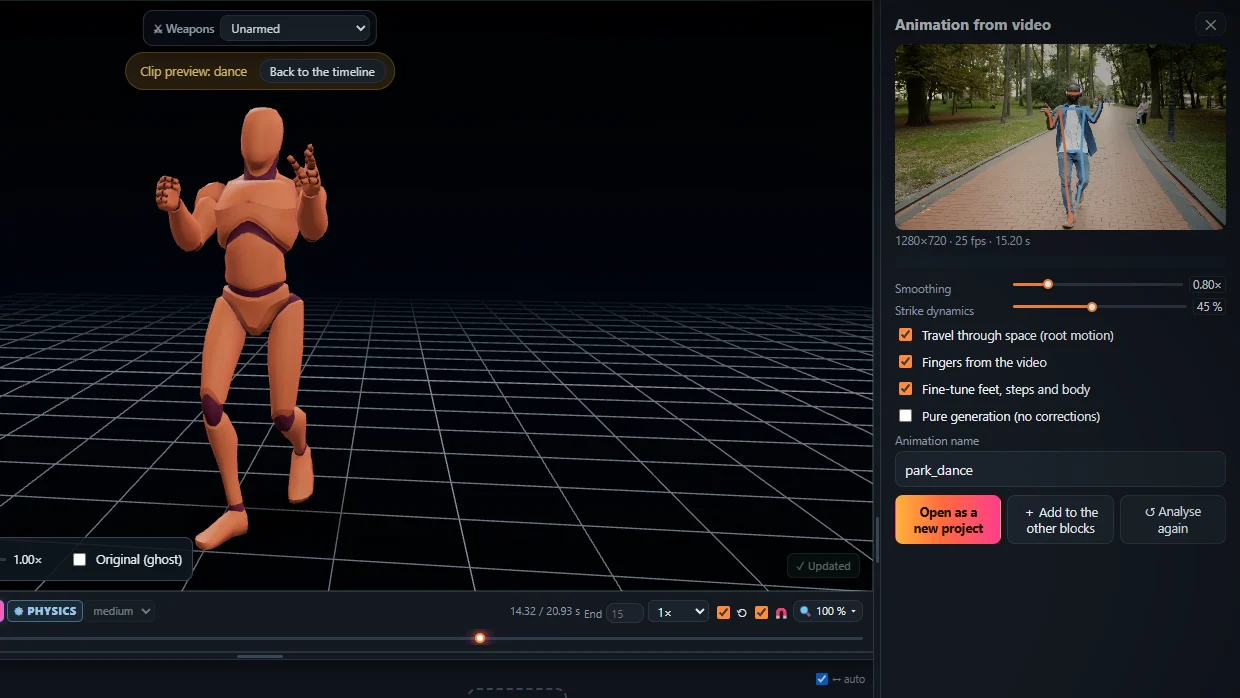
Video to BVH in four steps
- Open the Studio.
- Drop the video on Animation from video.
- Press Analyse video – it runs on your computer.
- Export > BVH.
Why BVH
The universal mocap format – a skeleton and its rotations, no mesh. Easiest to retarget or keep in a motion library.
In Blender
File > Import > Motion Capture (.bvh), then retarget to your rig.
Tips: one person, whole body in the frame, a still camera, good light; 60 fps for fast strikes.
Frequently asked questions
How do I get a BVH file from a video?
Open KinemIQ Studio, drop the video on Animation from video and press Analyse video. Then press Export, choose BVH and download it. The motion is extracted in your browser; the video is not uploaded.
What is in the BVH file?
A standard humanoid skeleton - hips, spine, neck, head, arms, legs - and one rotation per joint per frame, with the hips carrying the travel through space (or in place, if you choose).
Can I use the BVH in Blender?
Yes. Blender imports BVH directly (File > Import > Motion Capture). From there you can retarget it to your own rig; MotionBuilder, Maya, Cascadeur and most retargeting tools read BVH too.
Is the motion clean enough to use?
KinemIQ smooths the jitter of the detection, keeps the joints in a human range and plants the feet, so the BVH is usable right away. Anything you want different you change in the editor before you export.
More with KinemIQ: Video to 3D animation · Video to motion · Free AI mocap from video · Video to FBX · Martial arts animation · Ragdoll animation · Mocap from a phone video · FBX animation for Unity · Mocap for Unreal Engine · Mocap to Blender · Text to animation · 5-minute guide · All guides and answers