
Free motion capture for indie games
The cheapest way to get custom mocap for an indie game is to record it yourself on a phone and convert the video with AI. KinemIQ turns the video into a game-ready 3D animation in your browser – free during the public beta – and exports FBX, GLB or BVH.
Try it free in your browser Use my own video
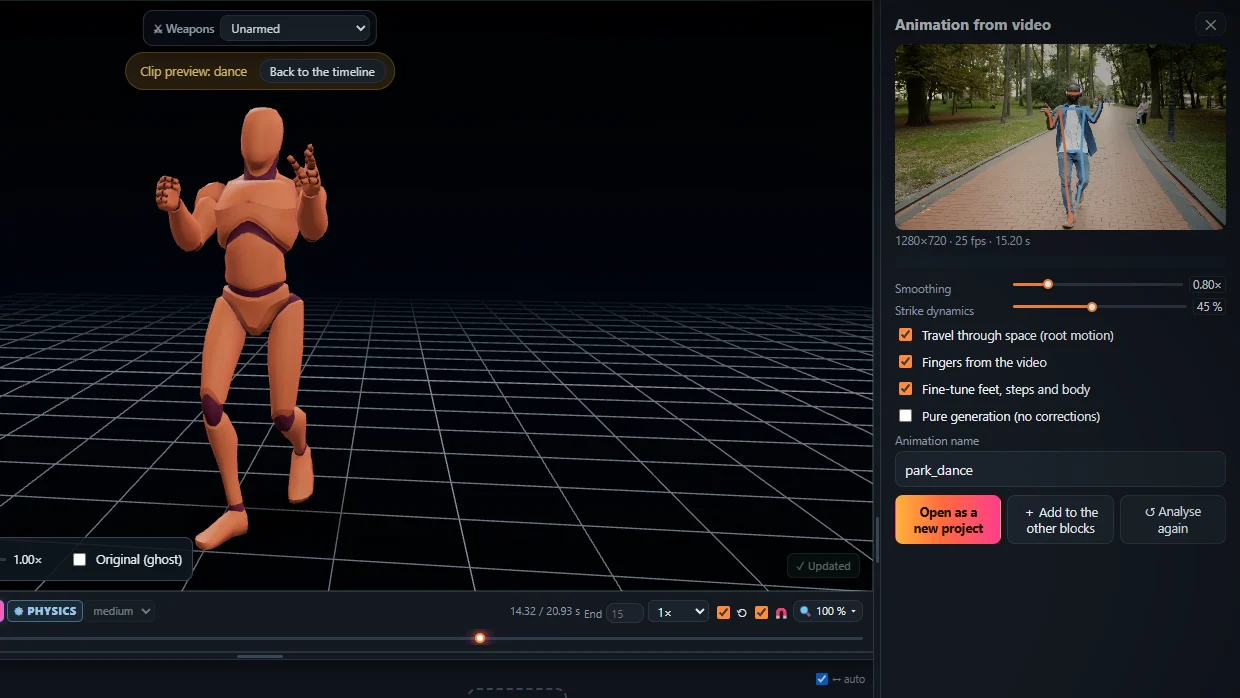
Why indie devs use it
- Your own moves – not the same stock animations every other game has.
- No hardware – a phone and a room are enough.
- Game-ready files – root motion or in place, Unity Humanoid, Unreal, Godot.
- Edit before export – speed, power, poses, ragdoll hits, one-click fixes.
A typical workflow
- Act out the move (attack, jump, dance, idle).
- Analyse the video in KinemIQ Studio.
- Trim, loop and polish it on the timeline.
- Export and drop it into your engine.
Frequently asked questions
Can I use the animations in a commercial game?
During the public beta, animations you export may be used in personal and commercial projects - see the Terms.
Which engines does it work with?
Unity (Generic or Humanoid), Unreal Engine, Godot, Blender and any tool that reads FBX, GLB / glTF or BVH.
How much does it cost?
It is free to try; making, editing and previewing animations needs no account, exporting needs a free account.
More with KinemIQ: Video to 3D animation · Video to motion · Free AI mocap from video · Video to FBX · Video to BVH · Martial arts animation · Ragdoll animation · Mocap from a phone video · FBX animation for Unity · Mocap for Unreal Engine · Mocap to Blender · Text to animation · 5-minute guide · All guides and answers