
Free animations for Unity – make your own from a video
Besides free animation packs, you can make your own free animations for Unity: record the move, convert the video with AI motion capture in KinemIQ and export an FBX that Unity imports as a Humanoid clip for any character.
Try it free in your browser Use my own video
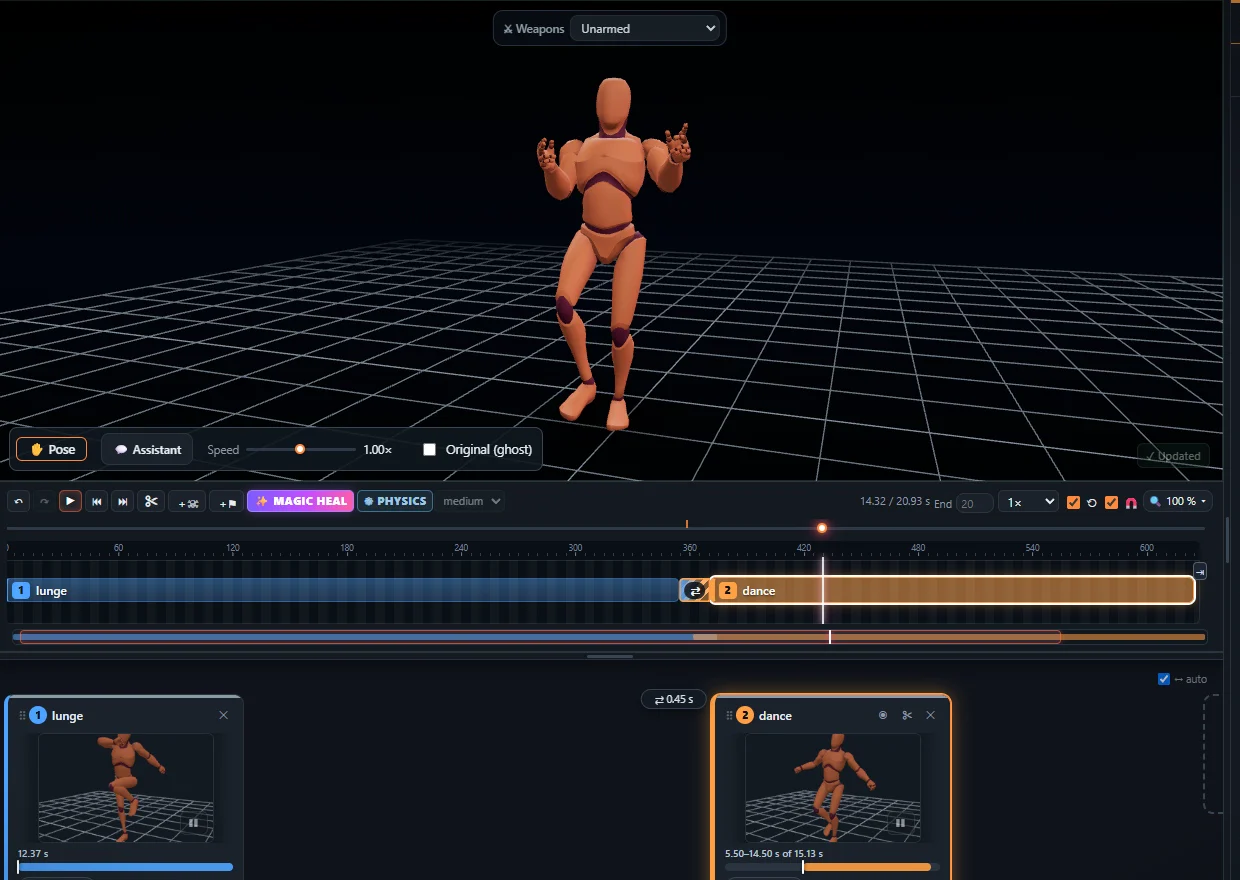
Why make your own
- Exactly the move your game needs – not the closest stock clip.
- Your timing, your style, your character.
- Loopable idles, attacks, reactions, dances in minutes.
Into Unity
- Export FBX (root motion or in place).
- In Unity: Rig > Animation Type > Humanoid, Apply.
- Drag the clip into your Animator Controller.
Step by step: FBX animation for Unity.
Frequently asked questions
Do the animations work on any Unity character?
Yes, on any character set to Humanoid - Unity retargets Humanoid clips between characters.
Can I loop them?
Yes. Trim the block to a clean cycle in KinemIQ and tick Loop Time in the Unity import settings.
Are they free?
Making and previewing is free; exporting needs a free account. During the beta, exports may be used commercially.
More with KinemIQ: Video to 3D animation · Video to motion · Free AI mocap from video · Video to FBX · Video to BVH · Martial arts animation · Ragdoll animation · Mocap from a phone video · FBX animation for Unity · Mocap for Unreal Engine · Mocap to Blender · Text to animation · 5-minute guide · All guides and answers