
Webcam motion capture in the browser
You can do motion capture with a webcam right in the browser: in KinemIQ Studio turn on Live camera, choose the webcam (or your phone through a QR code) and the 3D character copies you live. Press Record and the take becomes an animation you can edit and export.
Try it free in your browser Use my own video
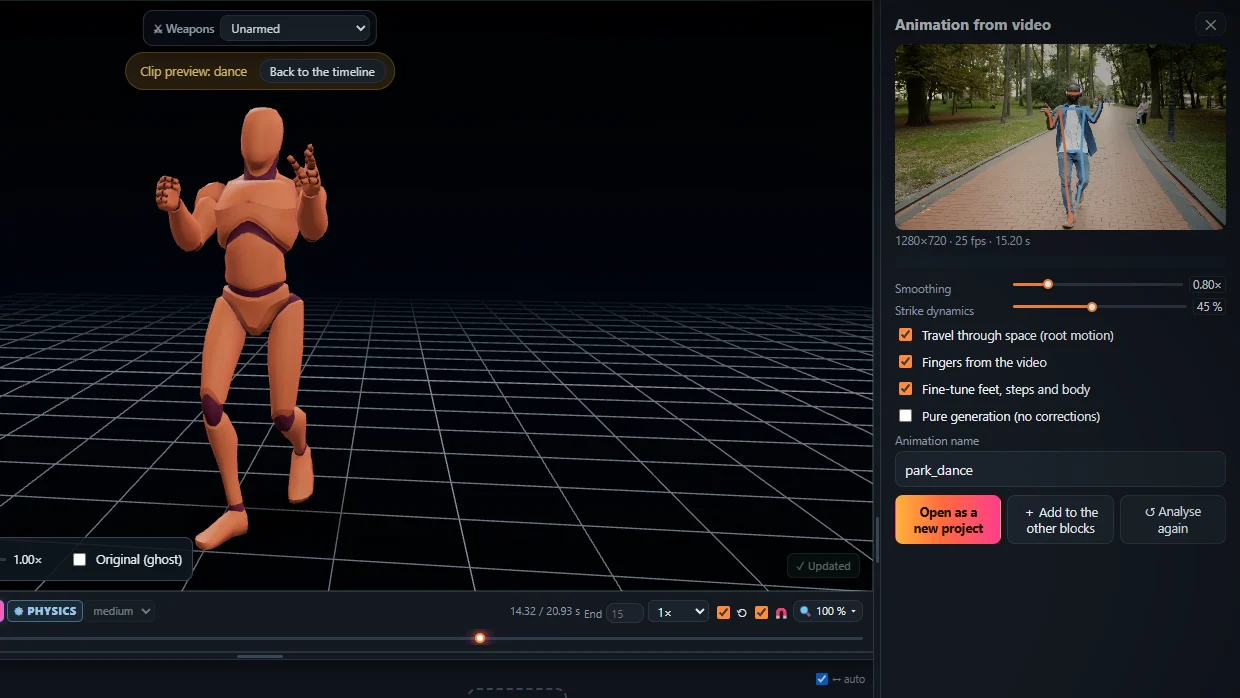
How to set it up
- Open the Studio and press 📱 Live camera.
- Pick Webcam, or scan the QR code with your phone – no app to install.
- Step back so your whole body is in the picture.
- Press Record; when you stop, the take is processed as a whole video (more exact than the live preview) and added to the timeline.
Tips
- Light from the front, plain background, fitted clothes.
- A phone on a stand often sees more of the room than a laptop webcam.
Frequently asked questions
Is the camera picture sent to a server?
No. The picture goes straight from the camera (or your phone) to your own computer.
Can I use my phone instead of a webcam?
Yes. Scan the QR code shown in the Studio with the phone; it streams to your computer with no install.
What can I export?
FBX, GLB / glTF or BVH, root motion or in place.
More with KinemIQ: Video to 3D animation · Video to motion · Free AI mocap from video · Video to FBX · Video to BVH · Martial arts animation · Ragdoll animation · Mocap from a phone video · FBX animation for Unity · Mocap for Unreal Engine · Mocap to Blender · Text to animation · 5-minute guide · All guides and answers