
Dance animation from a video
To turn a dance into a 3D animation, film it (or take a dance video you have the rights to) and convert it with AI motion capture. KinemIQ keeps the rhythm, the steps and the arm moves, puts them on a 3D character and exports a file for your game, video or VR scene.
Try it free in your browser Use my own video
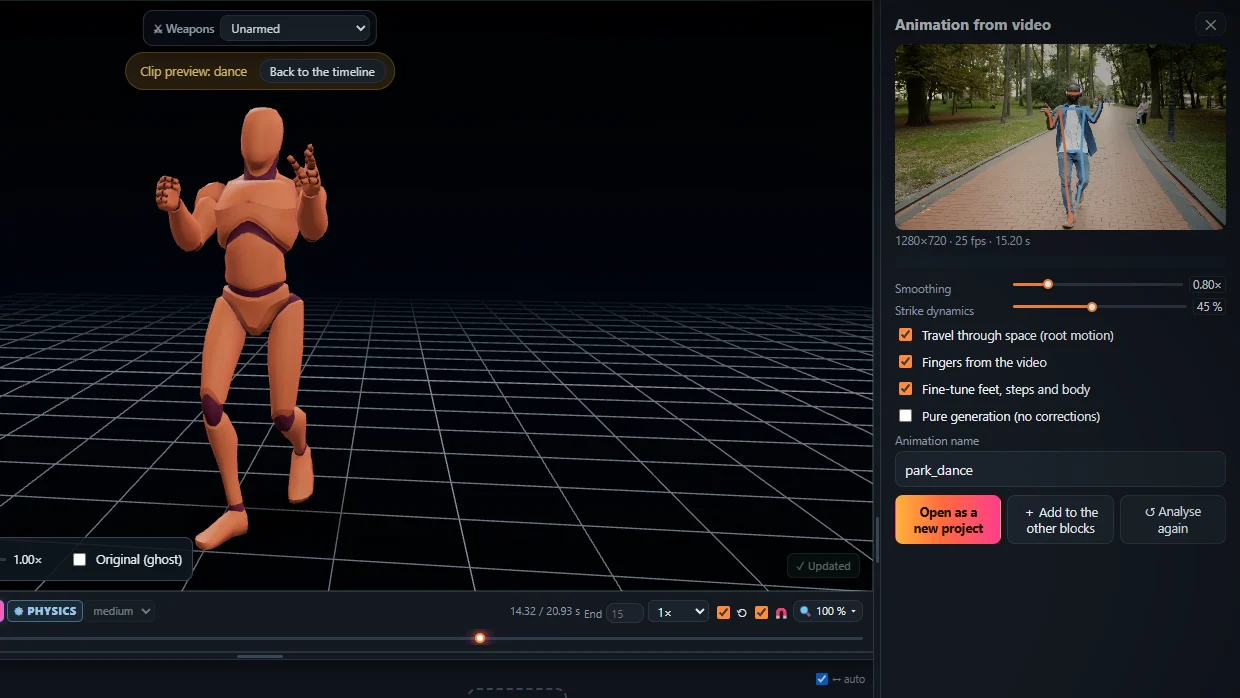
Best results for dance
- Whole body in the frame for the whole dance – feet included.
- A camera that does not follow the dancer around.
- 60 fps for fast footwork and spins.
- Hands and fingers on, for arm and hand styling.
After the analysis
Trim the part you want, make it loop, change the speed to the music, fix a pose with the mouse, and export.
Frequently asked questions
Can it follow fast moves and spins?
Most of them. Very fast spins or moves hidden from the camera may need a quick fix in the editor afterwards.
Can I use a dance video from the internet?
Only if you have the right to use it. The safest is to film the dance yourself.
Which formats can I export?
FBX, GLB / glTF and BVH, for Unity, Unreal Engine, Godot, Blender and more.
More with KinemIQ: Video to 3D animation · Video to motion · Free AI mocap from video · Video to FBX · Video to BVH · Martial arts animation · Ragdoll animation · Mocap from a phone video · FBX animation for Unity · Mocap for Unreal Engine · Mocap to Blender · Text to animation · 5-minute guide · All guides and answers