
Godot animations from a video
For Godot, the easiest animation format is GLB / glTF: Godot imports it directly with the skeleton and an AnimationPlayer. KinemIQ turns a video into a 3D animation with AI motion capture and exports exactly that – free to try in the browser.
Try it free in your browser Use my own video
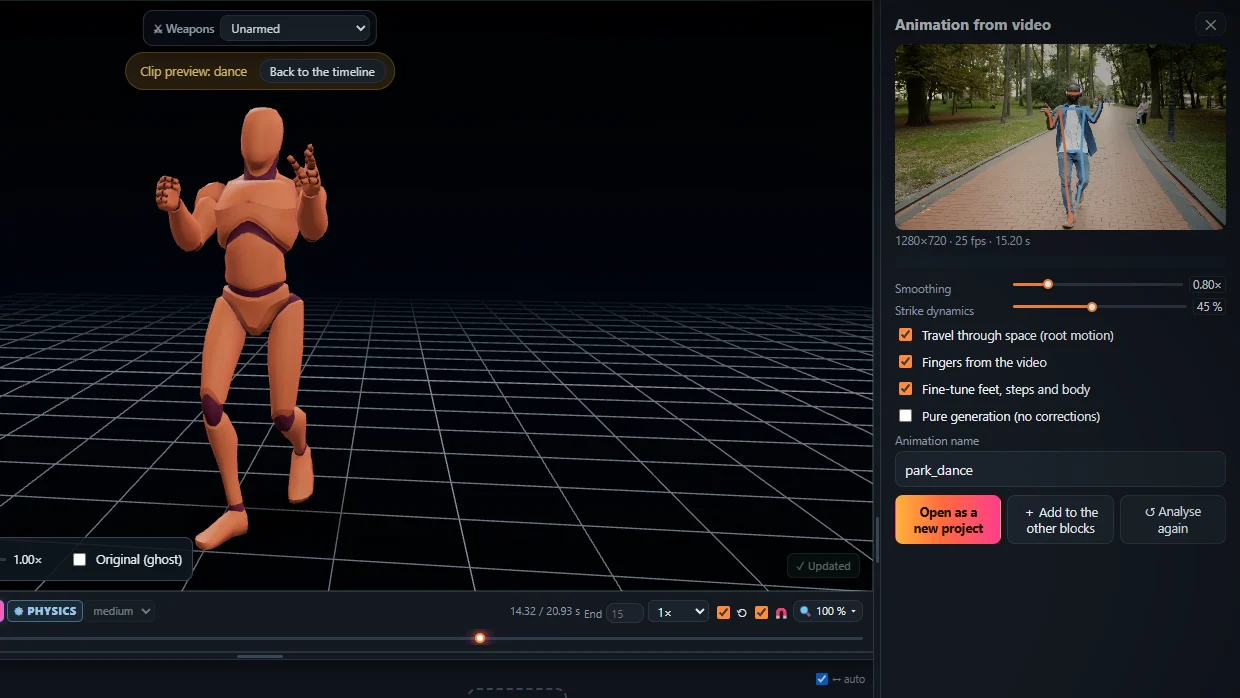
Into Godot 4
- Analyse your video in KinemIQ Studio and export GLB.
- Copy the file into your Godot project folder.
- Open it (or instance it in a scene): the animation is in its AnimationPlayer.
- To use it on your own character, keep the animation in an AnimationLibrary and retarget with Godot bone maps.
Frequently asked questions
GLB or FBX for Godot?
GLB / glTF. Godot reads it natively; FBX needs a converter.
Root motion?
Export with root motion and set the root motion track in the AnimationTree, or export in place and move the character from code.
Is it free?
Free to try; exporting needs a free account.
More with KinemIQ: Video to 3D animation · Video to motion · Free AI mocap from video · Video to FBX · Video to BVH · Martial arts animation · Ragdoll animation · Mocap from a phone video · FBX animation for Unity · Mocap for Unreal Engine · Mocap to Blender · Text to animation · 5-minute guide · All guides and answers