
How to clean up motion capture data
Cleaning up mocap means removing jitter, fixing foot sliding and floating, and correcting twisted or popping joints. KinemIQ does most of it automatically: motion from video comes smoothed with planted feet, and Magic Heal finds and fixes what still looks wrong – each fix listed so you keep control.
Try it free in your browser Use my own video
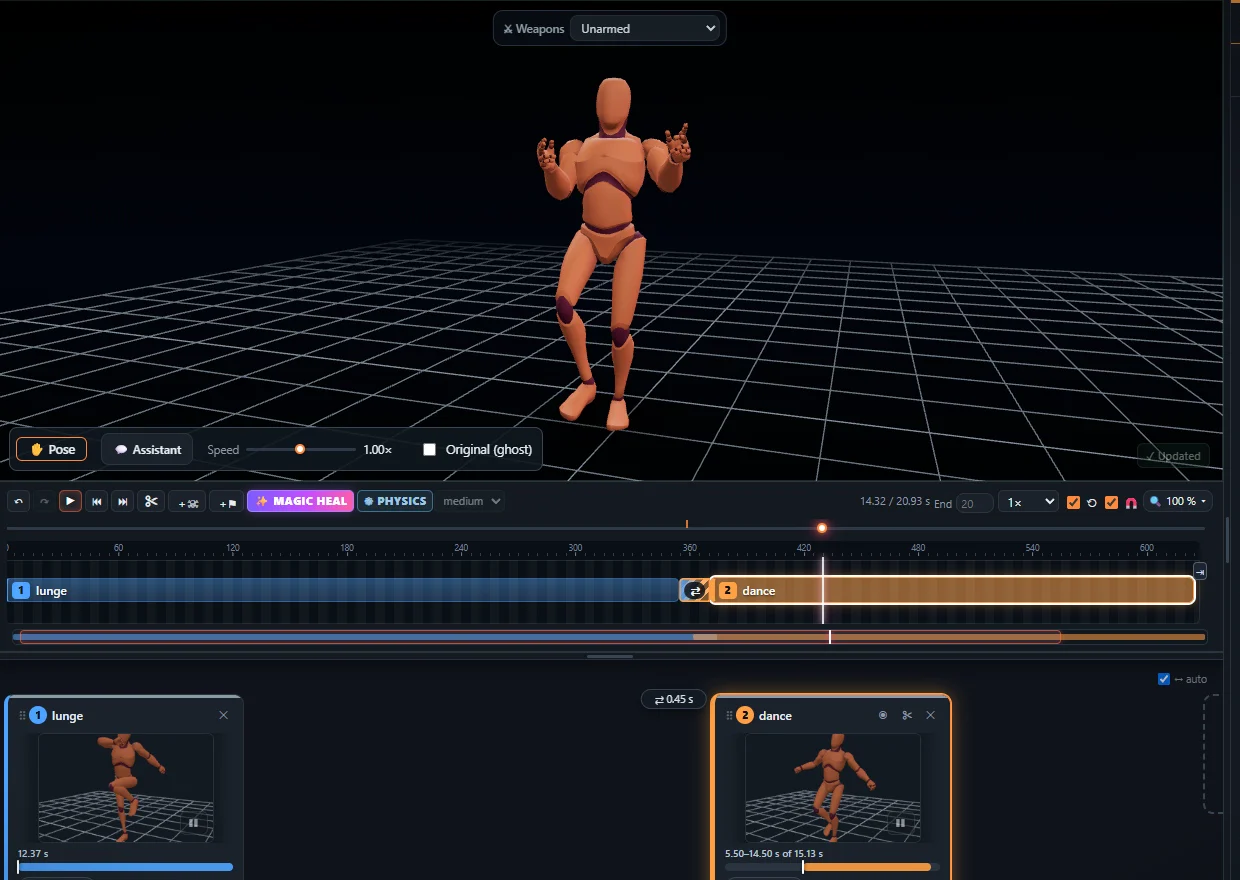
Common problems and the fix
- Jitter – smoothed during the analysis.
- Foot sliding / floating – standing feet are planted, the body kept on the floor.
- Twisted or popping joints – Magic Heal measures and fixes them.
- One bad pose – ✋ Pose: drag the joint, the change blends in and out.
- Bad start or end – trim the block, crossfade into the next one.
Bring your own mocap
You can also import your own FBX, GLB or BVH animation into the Studio in the browser and clean it up the same way.
Frequently asked questions
Does Magic Heal change the whole animation?
Only the places it lists. Untick a fix to keep that place as it was, or undo everything at once.
Can I clean up mocap from other tools?
Yes - import FBX, GLB or BVH from any humanoid skeleton.
What do I export after the clean-up?
FBX, GLB / glTF or BVH, root motion or in place.
More with KinemIQ: Video to 3D animation · Video to motion · Free AI mocap from video · Video to FBX · Video to BVH · Martial arts animation · Ragdoll animation · Mocap from a phone video · FBX animation for Unity · Mocap for Unreal Engine · Mocap to Blender · Text to animation · 5-minute guide · All guides and answers