
Free motion capture data – 285 mocap clips as BVH, FBX or GLB
285 free motion capture clips recorded from real actors – martial arts (kicks, punches, blocks, dodges, fighting stances) and 34 styles of walking, running and standing. Preview each take on a 3D character in your browser and download it as BVH, FBX or GLB. Free for commercial use with a credit. No install.
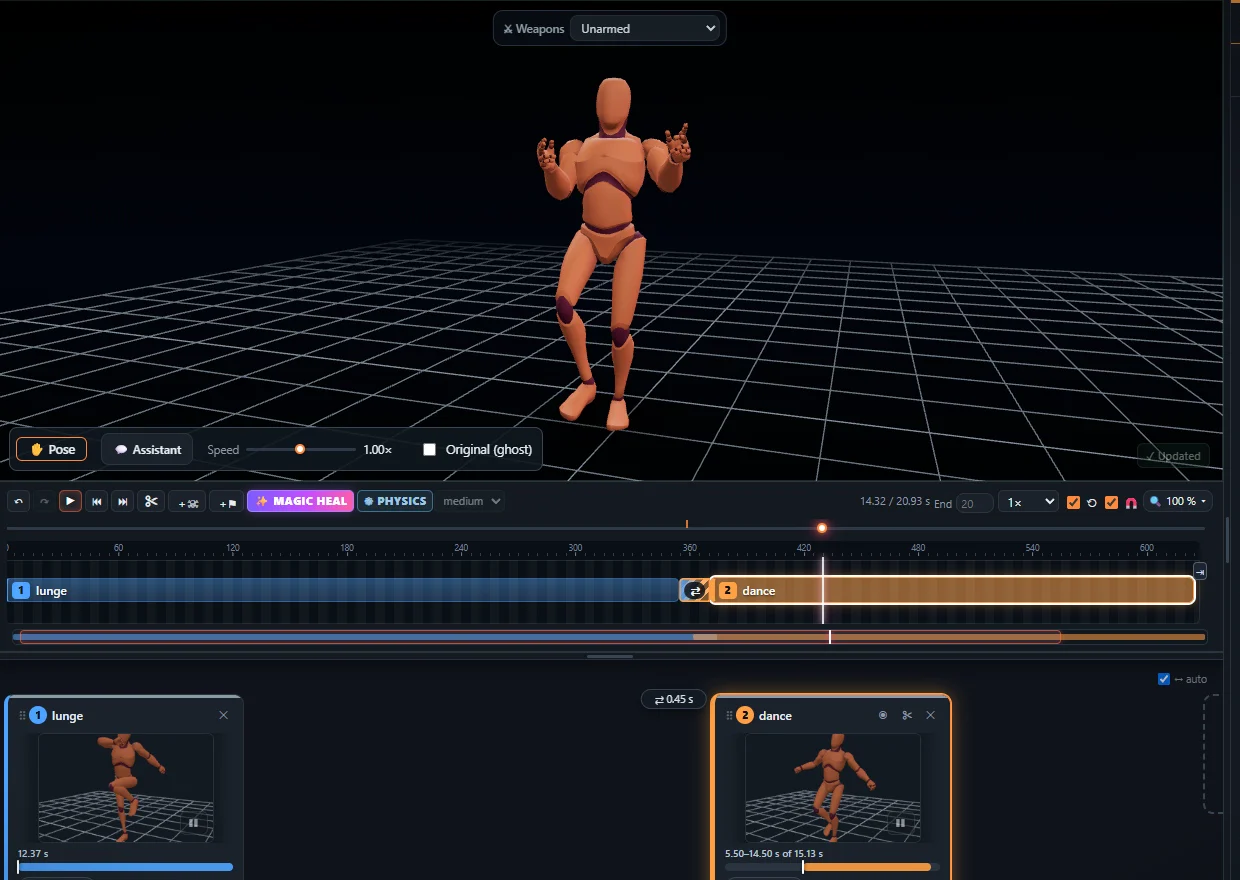
What mocap is in it
- Martial arts (115 clips, ACCAD) – roundhouse, side, front, push, axe, crescent, spinning back and capoeira kicks; jabs, crosses, hooks, uppercuts and backfists; high, middle and low blocks; ducks and side steps; fighting stances, advances, retreats, taunts, victories, crawling, lying down and getting up.
- Walking, running and standing styles (170 clips, 100STYLE) – 34 styles such as neutral, proud, angry, depressed, old, drunk, limping, zombie, robot, marching, crouched, on tiptoes and hands in pockets – each as an idle, a walk, a run and walks backwards and sideways.
Every take is cleaned, grounded and already on one humanoid skeleton, so the clips blend with each other and play on the same character. The library also has 175 hand-made game animations – see free game animations.
Licences – free for commercial use
- 115 clips CC BY 3.0 – Open Motion Project by ACCAD, The Ohio State University.
- 170 clips CC BY 4.0 – the 100STYLE dataset (Ian Mason).
Both licences allow games, films, apps and other commercial work with a credit to the author. The credit travels inside every exported FBX and GLB (a text file goes next to a BVH), and all sources are listed on Sources & credits.
How to download a mocap clip
- Open the Studio and the Animations tab – search for a move (for example roundhouse or zombie walk) or pick a category.
- Click a clip: it plays on the 3D character. Trim it, change the speed or the direction, or put several clips one after another.
- Click Export and choose BVH, FBX or GLB / glTF, with root motion or in place.
The first export needs no account; after that a free account is enough. Into your tool: Blender, Unity (FBX, Humanoid), Unreal Engine, BVH or FBX – which to use.
Need a move that is not there?
Record it yourself: film the move with your phone and turn the video into motion capture with AI – no suit, no markers – on the same skeleton as these clips. See video to BVH and video to animation.
Frequently asked questions
Is the mocap data free for commercial use?
Yes. The clips are CC BY (ACCAD CC BY 3.0, 100STYLE CC BY 4.0): free for games, films and apps with a credit to the author, which every exported file already carries.
Which formats can I download?
BVH, FBX and GLB / glTF, with root motion or in place.
Is it raw mocap?
The takes are real motion capture, cleaned, grounded and put on one humanoid skeleton, so they play and blend on the same character; retarget them to your own rig in Blender, Unity or Unreal.
Can I record my own moves?
Yes. Film a move with a phone and turn the video into motion capture with AI in the same Studio - no suit, no markers.
More with KinemIQ: Video to 3D animation · Video to motion · Free AI mocap from video · Video to FBX · Video to BVH · Martial arts animation · Ragdoll animation · Mocap from a phone video · FBX animation for Unity · Mocap for Unreal Engine · Mocap to Blender · Text to animation · 5-minute guide · All guides and answers