
How AI motion capture from video works
AI motion capture from video works in three stages: a neural network finds the body joints in every frame, the 2D points are lifted into a 3D pose, and the motion is cleaned up physically – feet planted, weight on the legs, joints in a human range – before it is put on a 3D skeleton. In KinemIQ all of it runs in your browser.
Try it free in your browser Use my own video
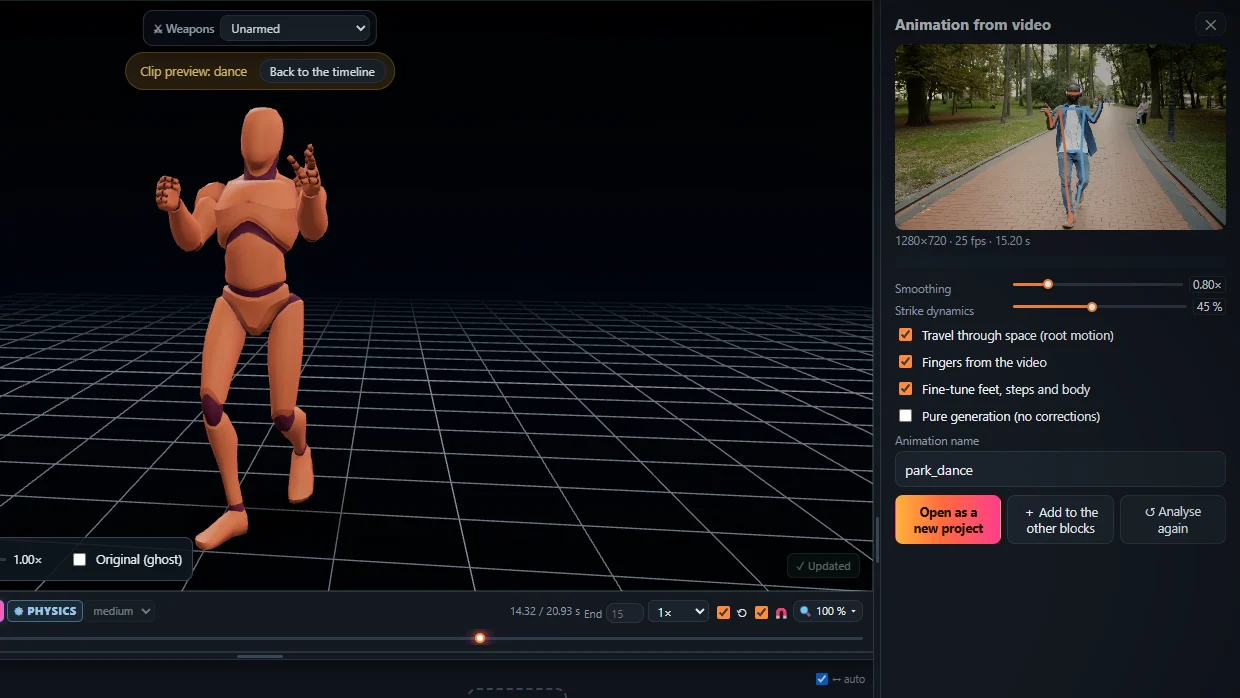
The stages
- Detection – body, hands and fingers in each frame.
- 3D lifting – depth and rotation of every bone.
- Physical clean-up – smoothing, foot contacts, balance, landings, joint limits.
- Retargeting – the motion on a rigged character, ready to export.
Limits
- Parts hidden from the camera are estimated, not seen.
- One person per video works best.
- Very fast moves need a higher frame rate.
Frequently asked questions
Does it need a GPU or a server?
It runs in a modern desktop browser on your computer; the video is not uploaded.
Why does the result not float or slide?
Because the clean-up plants the feet that stand and keeps the body weight on the legs.
Can I fix what the AI got wrong?
Yes - pose the joint with the mouse or use Magic Heal.
More with KinemIQ: Video to 3D animation · Video to motion · Free AI mocap from video · Video to FBX · Video to BVH · Martial arts animation · Ragdoll animation · Mocap from a phone video · FBX animation for Unity · Mocap for Unreal Engine · Mocap to Blender · Text to animation · 5-minute guide · All guides and answers